Staff Guide on Central Kitchen Meal Model
Follow the steps below to register your account, add yourself as a staff of the school and purchase food from the app and collect from the food locker
Last updated on 16 September 2026
Step 1: Download & Register
Click here to play the video for download and register (opens in new tab)
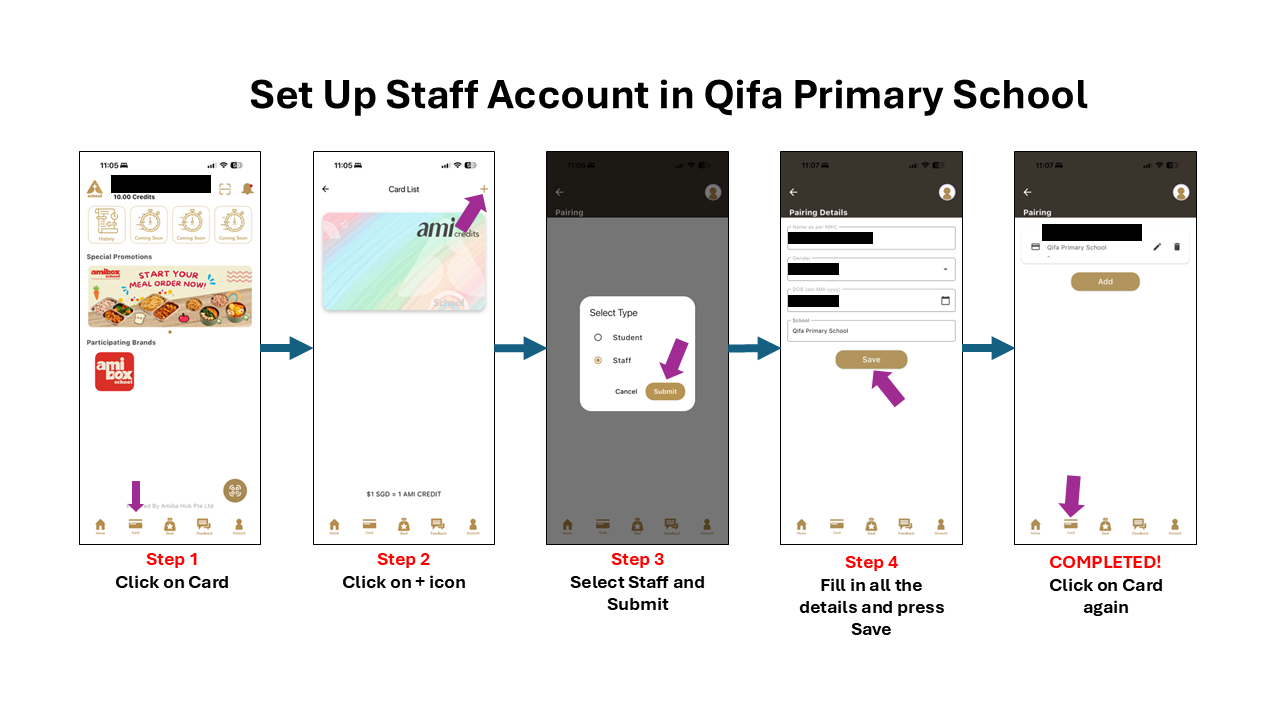
Step 2: Setting Up Account
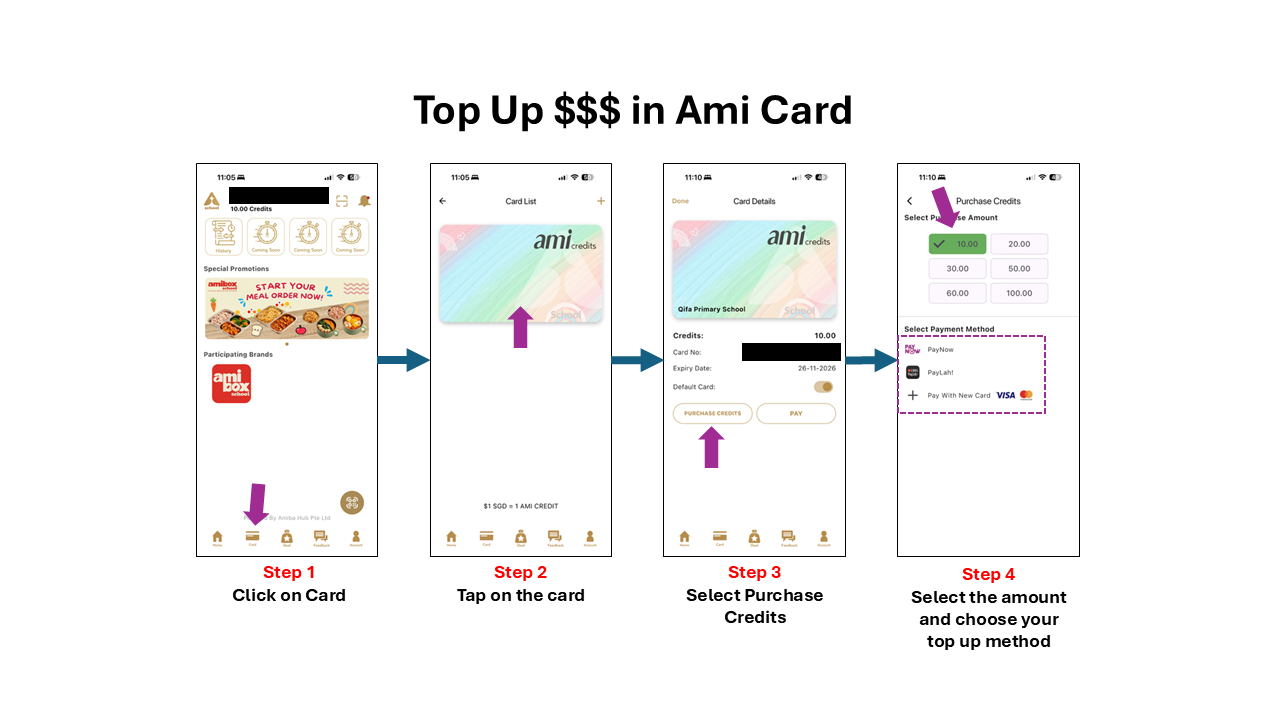
Step 3: Top Up Money in Mobile App Card
Step 4: Ordering Food
.png)
.png)
.png)
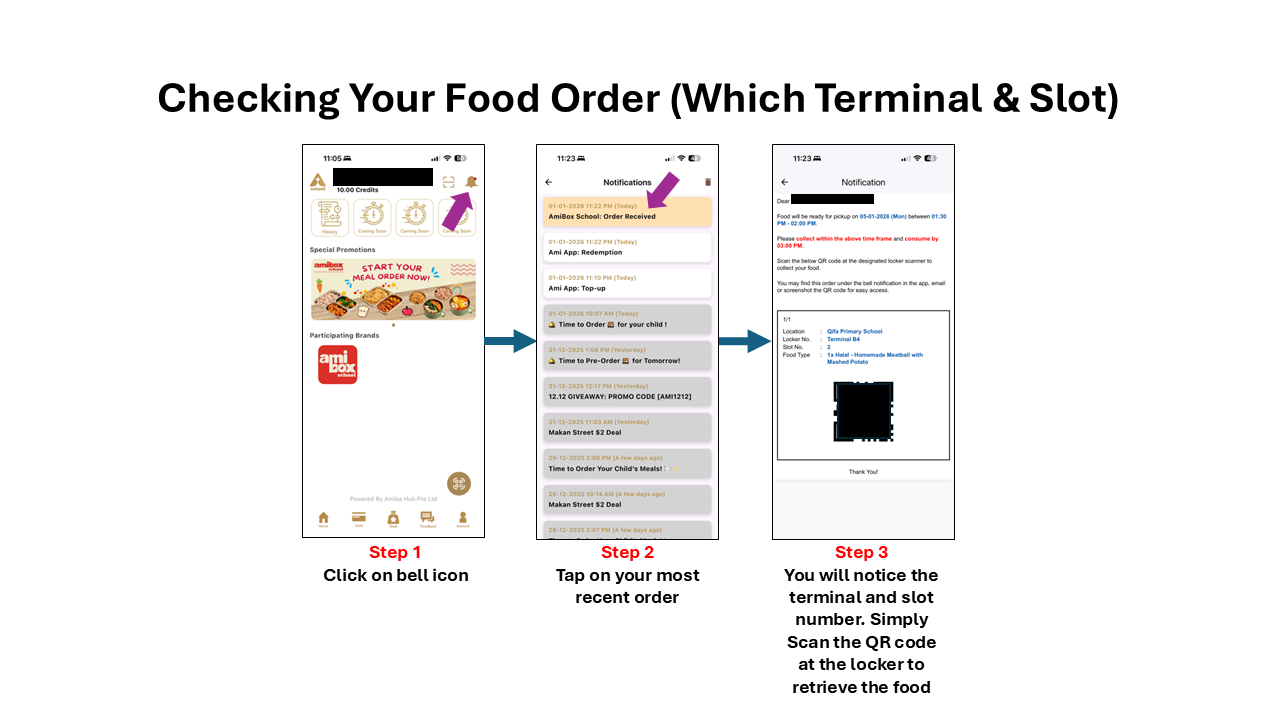
Step 5: Checking Food Order & Collection